These 17 examples cover connected flows, containers, SQL tables, UML classes, sequences, grids, and 18 basic D2 shapes. Each uses Shoalrun’s Diagram component, with a width cap and copyable source. The diagrams illustrate notation rather than live services.
D2 generates separate light and dark SVG images. They follow the site’s color mode, but do not inherit its live palette or fonts. Use D2 themes and styles to customize the source. For Mermaid syntax rendered by Pele, see the Pele gallery.
The examples set vars.d2-config.pad to 16 pixels to keep the diagram padding compact. Width caps keep smaller examples from filling the page.
Flows and structures
Connected steps
Connect the stages of a documentation build.


Source: Connected steps
vars: {
 d2-config: {
  pad: 16
 }
}

direction: right
source: Source files
build: Build documentation
site: Published site
source -> build: compile
build -> site: publish
Decision flow
Show approval and revision paths.


Source: Decision flow
vars: {
 d2-config: {
  pad: 16
 }
}

direction: down
draft: Draft guide
review: Ready to publish? { shape: diamond }
publish: Publish guide
revise: Revise guide
draft -> review
review -> publish: yes
review -> revise: no
revise -> draft
Connection styles
Distinguish directed, two-way, and dashed relationships.


Source: Connection styles
vars: {
 d2-config: {
  pad: 16
 }
}

direction: right
writer: Writer
reviewer: Reviewer
archive: Archive { shape: cylinder }
writer <-> reviewer: discuss
reviewer -> archive: approved copy
writer -> archive: reference { style.stroke-dash: 4 }
Nested containers
Group a site and its supporting services.


Source: Nested containers
vars: {
 d2-config: {
  pad: 16
 }
}

direction: right
project: Documentation project {
 content: Content files
 config: Configuration
}
site: Published site {
 html: HTML pages
 markdown: Markdown pages
}
project.content -> site.html
project.content -> site.markdown
project.config -> site
Service architecture
Connect readers, a documentation endpoint, and stored content.


Source: Service architecture
vars: {
 d2-config: {
  pad: 16
 }
}

reader: Reader { shape: person }
site: Documentation site
mcp: MCP endpoint
content: Published content { shape: cylinder }
reader -> site: browse
reader -> mcp: read with tools
site -> content
mcp -> content
SQL tables
Show columns, key constraints, and a foreign-key relationship.


Source: SQL tables
vars: {
 d2-config: {
  pad: 16
 }
}

direction: right
pages: Pages {
 shape: sql_table
 id: text { constraint: primary_key }
 title: text
}
sections: Sections {
 shape: sql_table
 id: text { constraint: primary_key }
 page_id: text { constraint: foreign_key }
 heading: text
}
sections.page_id -> pages.id
UML classes
Describe a page class and its section class.


Source: UML classes
vars: {
 d2-config: {
  pad: 16
 }
}

direction: right
Page: {
 shape: class
 title: string
 slug: string
 render(): HTML
}
Section: {
 shape: class
 heading: string
 text: string
}
Page -> Section: contains
Sequences and grids
Sequence diagram
Read requests and responses in their declared order.
Source: Sequence diagram
vars: {
 d2-config: {
  pad: 16
 }
}

shape: sequence_diagram
agent: Agent
server: MCP server
index: Published index
agent -> server: Search documentation
server -> index: Find matching pages
index -> server: Page IDs
server -> agent: Read instruction
agent -> server: Read selected page
server -> agent: Markdown and citation
Grid layout
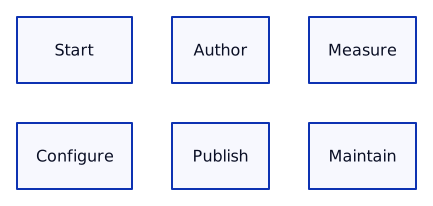
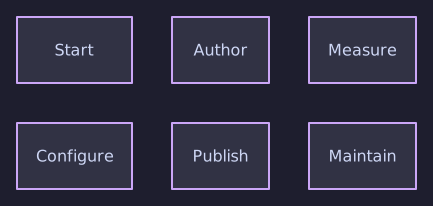
Arrange related topics in a fixed number of columns.
Source: Grid layout
vars: {
 d2-config: {
  pad: 16
 }
}

grid-columns: 3
start: Start
configure: Configure
author: Author
publish: Publish
measure: Measure
maintain: Maintain
Styles and code
Explicit source colors stay fixed in both modes. The reusable style below sets text and background together to preserve contrast.
Reusable styles
Apply a shared style with explicit contrasting text and fill colors.


Source: Reusable styles
vars: {
 d2-config: {
  pad: 16
 }
}

direction: right
classes: {
 step: {
  style.fill: "#e9f3ef"
  style.font-color: "#16332e"
  style.stroke: "#52706a"
  style.border-radius: 8
 }
}
a: Draft { class: step }
b: Review { class: step }
c: Publish { class: step }
a -> b -> c
Code block
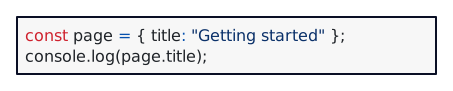
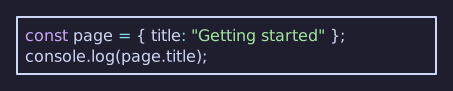
Include a short source-code excerpt as a diagram node.
Source: Code block
vars: {
 d2-config: {
  pad: 16
 }
}

example: |ts
  const page = { title: "Getting started" };
  console.log(page.title);
|
Layout engines
These three examples use identical source with different layout engines. TALA is Shoalrun’s default; set layout="elk" or layout="dagre" to choose another. See D2 layouts.
TALA layout
Compare the same source using TALA.


Source: TALA layout
vars: {
 d2-config: {
  pad: 16
 }
}

direction: right
source: Source
validate: Validate
html: HTML
markdown: Markdown
source -> validate
validate -> html
validate -> markdown
ELK layout
Compare the same source using ELK.


Source: ELK layout
vars: {
 d2-config: {
  pad: 16
 }
}

direction: right
source: Source
validate: Validate
html: HTML
markdown: Markdown
source -> validate
validate -> html
validate -> markdown
Dagre layout
Compare the same source using DAGRE.


Source: Dagre layout
vars: {
 d2-config: {
  pad: 16
 }
}

direction: right
source: Source
validate: Validate
html: HTML
markdown: Markdown
source -> validate
validate -> html
validate -> markdown
Basic shapes
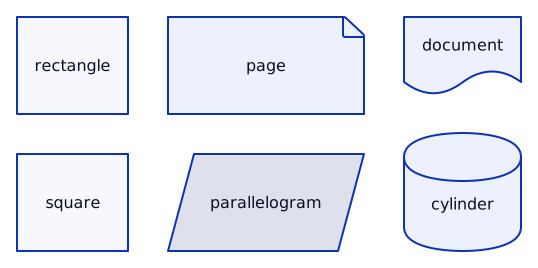
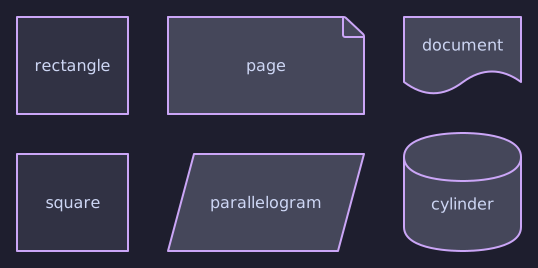
These sheets compare 18 shape names in three-column grids. SQL tables, UML classes, and sequences appear in the examples above. See D2 shapes for the language reference.
D2 shapes 1
Compare rectangle, square, page, parallelogram, document, cylinder.
Source: D2 shapes 1
vars: {
 d2-config: {
  pad: 16
 }
}

grid-columns: 3
node0: rectangle { shape: rectangle }
node1: square { shape: square }
node2: page { shape: page }
node3: parallelogram { shape: parallelogram }
node4: document { shape: document }
node5: cylinder { shape: cylinder }
D2 shapes 2
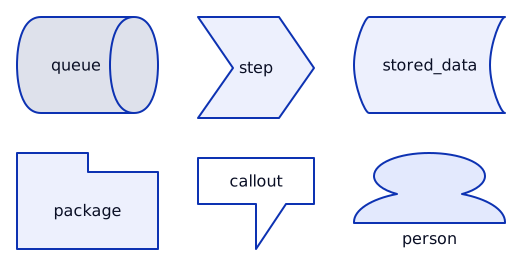
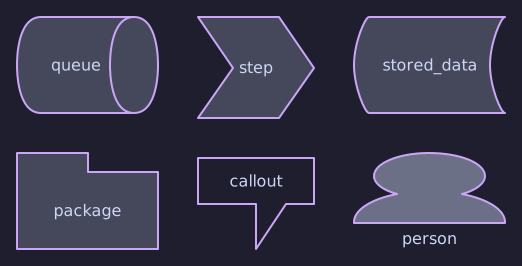
Compare queue, package, step, callout, stored_data, person.
Source: D2 shapes 2
vars: {
 d2-config: {
  pad: 16
 }
}

grid-columns: 3
node0: queue { shape: queue }
node1: package { shape: package }
node2: step { shape: step }
node3: callout { shape: callout }
node4: stored_data { shape: stored_data }
node5: person { shape: person }
D2 shapes 3
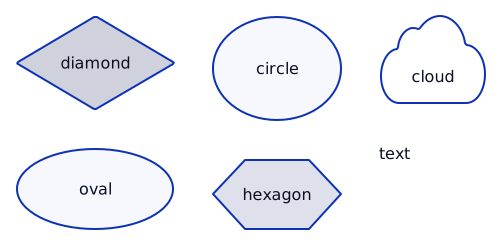
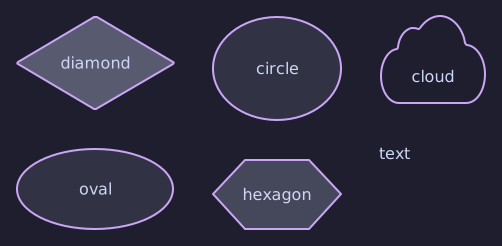
Compare diamond, oval, circle, hexagon, cloud, text.
Source: D2 shapes 3
vars: {
 d2-config: {
  pad: 16
 }
}

grid-columns: 3
node0: diamond { shape: diamond }
node1: oval { shape: oval }
node2: circle { shape: circle }
node3: hexagon { shape: hexagon }
node4: cloud { shape: cloud }
node5: text { shape: text }
HTML, Markdown, and agents
The build renders each diagram to SVG without a browser. HTML shows the matching light/dark image and a caption. Markdown preserves every title, summary, SVG link, and D2 code fence, including the source inside closed disclosures.
This gallery illustrates selected D2 features rather than every possible diagram. Follow the D2 tour for the language, SQL table syntax, UML classes, and sequence syntax.