Use <Image> to show an image with optional sizing, a caption, or click-to-expand viewing. Plain Markdown image syntax also works when you only need an image and alt text.
Basic image
Provide a source and alt text. Local paths are relative to the page's MDX file; Shoalrun copies the image into the build. HTTPS URLs work too.
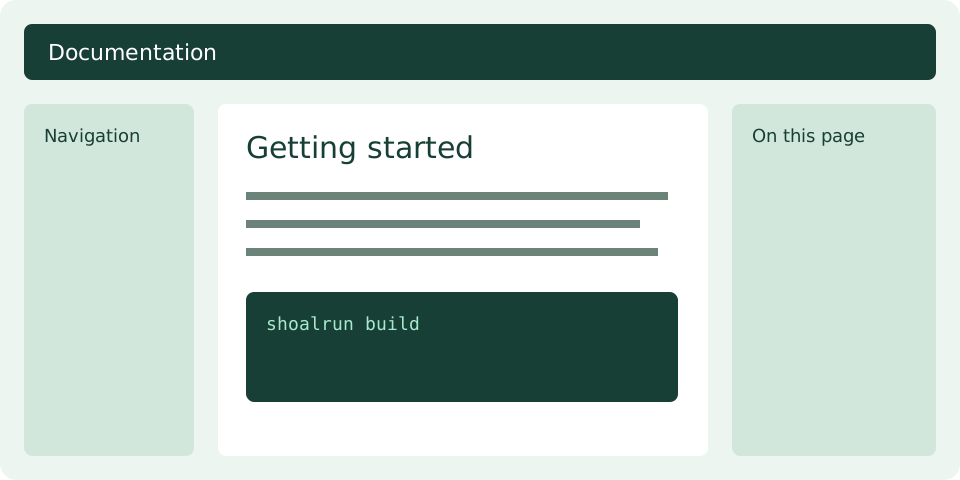
<Image src="./assets/image-example.svg" alt="A documentation page with navigation, content, and a table of contents" />
Images fit the content column and shrink on narrow screens. They keep their aspect ratio. Plain Markdown has the same default sizing:

Set a width
width sets a maximum in pixels. It does not force an image to overflow a smaller screen. Leave it out to use the available content width.
<Image src="./assets/image-example.svg" alt="A documentation page layout" width="480" />
Center an image
Use align="center" with a width limit to center an image in the content column. The caption and expanded-view link stay with the image. You can also choose left or right.
<Image src="./assets/image-example.svg" alt="A documentation page layout" width="480" align="center" caption="A centered image with a width limit." expand />
Add a caption and expanded view
Use caption for visible context below the image. Add the bare expand attribute to let readers open a larger view. Select the example to try it.
<Image src="./assets/image-example.svg" alt="Navigation beside the main content, with a table of contents on the right" width="480" caption="A documentation page has three reading areas." expand />
The expanded view supports Escape to close and returns focus to the image link. Without JavaScript or modal-dialog support, the link opens the original asset. A larger view cannot add detail that is missing from a low-resolution source.
Attributes
All attributes use literal values. expand is a bare boolean attribute.
| Attribute | Required | Meaning |
|---|---|---|
src |
Yes | Local .png, .jpg, .jpeg, .webp, or .svg path, or an HTTPS URL. |
alt |
Yes | Text describing the image's meaning. Use alt="" only for decorative images. |
width |
No | Maximum width in pixels, from 1 to 4096. |
align |
No | left, center, or right. Default placement follows the surrounding content. |
caption |
No | Plain text shown below the image and retained in Markdown. |
expand |
No | Opens a modal image viewer when supported, with an original-image link as fallback. |
<Image> is an empty block component. It does not accept children, HTML strings, or dynamic expressions. Keep essential explanations in nearby prose and meaningful alt text. For generated diagrams, use Diagram.
HTML, Markdown, and agents
HTML contains a normal image with alt text. Captions use figure and figcaption. Expandable images use a link enhanced by a modal viewer; the image remains usable without scripts. Modified clicks still open the link normally.
Markdown includes the image and alt text, followed by its caption when present. Expandable images also include a link to the original asset. Width, alignment, and modal state do not hide content from agents.